
Nissan Sentra Service Manual: Ecu diagnosis information
BCM
Reference value
Note:
The signal tech ii tool (j-50190) can be used to perform the following functions. Refer to the signal tech ii user guide for additional information.
- Activate and display tpms transmitter ids
- Display tire pressure reported by the tpms transmitter
- Read TPMS DTCs
- Register TPMS transmitter IDs
- Check intelligent key relative signal strength
- Confirm vehicle intelligent key antenna signal strength
Values on the diagnosis tool
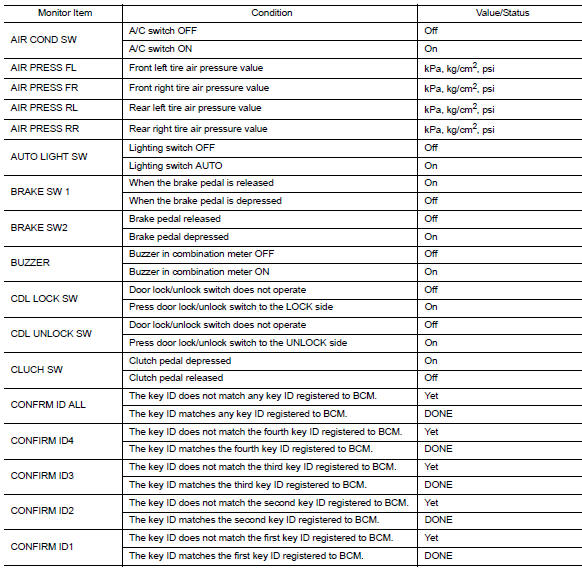
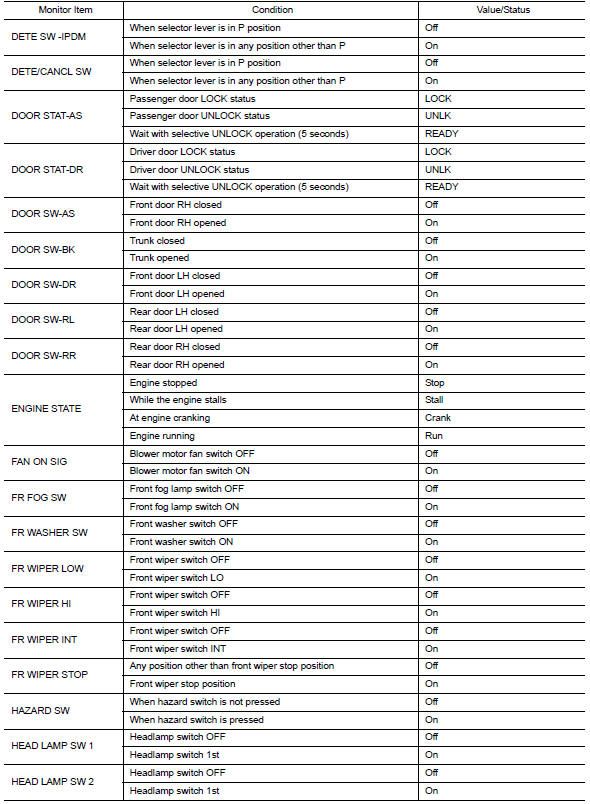
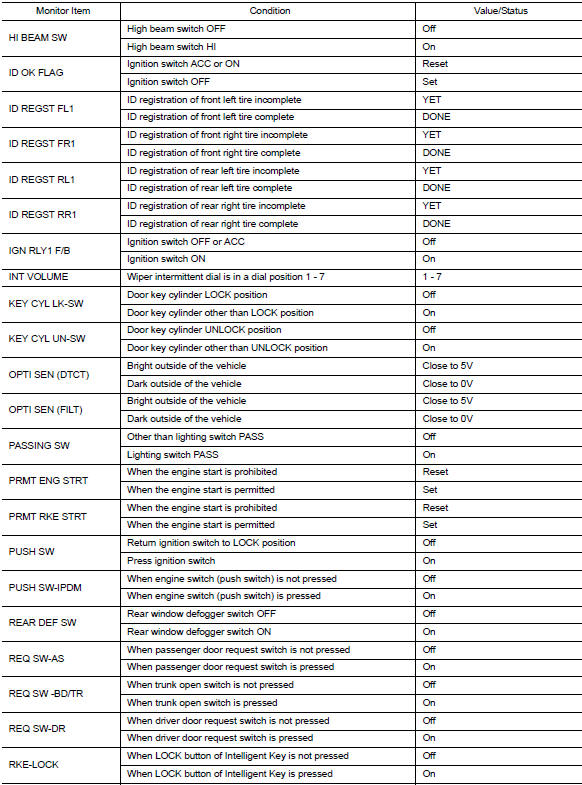
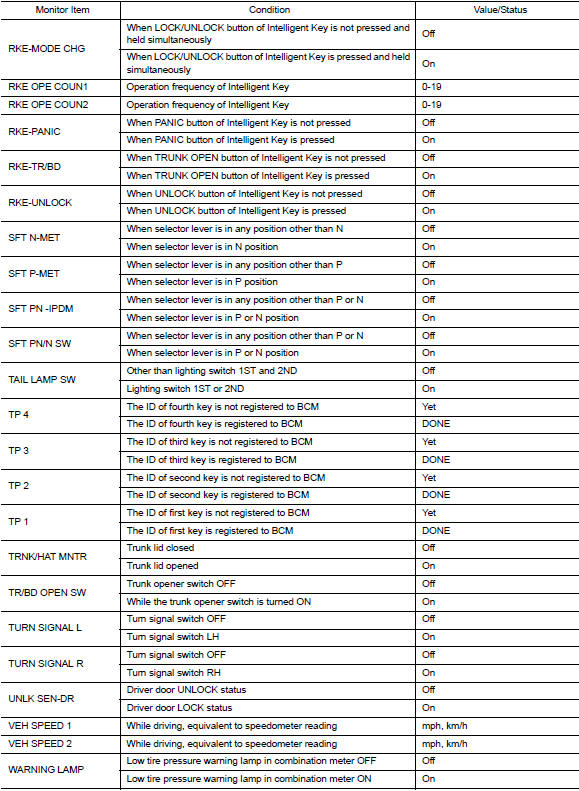
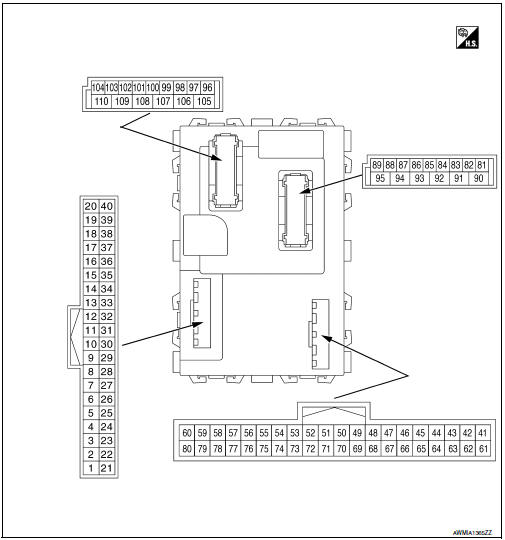
Terminal layout
Physical values
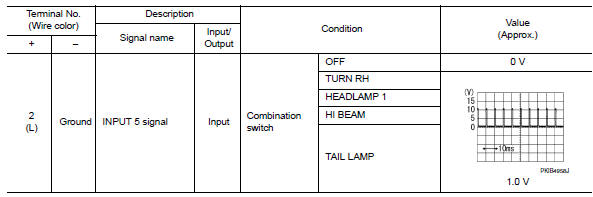
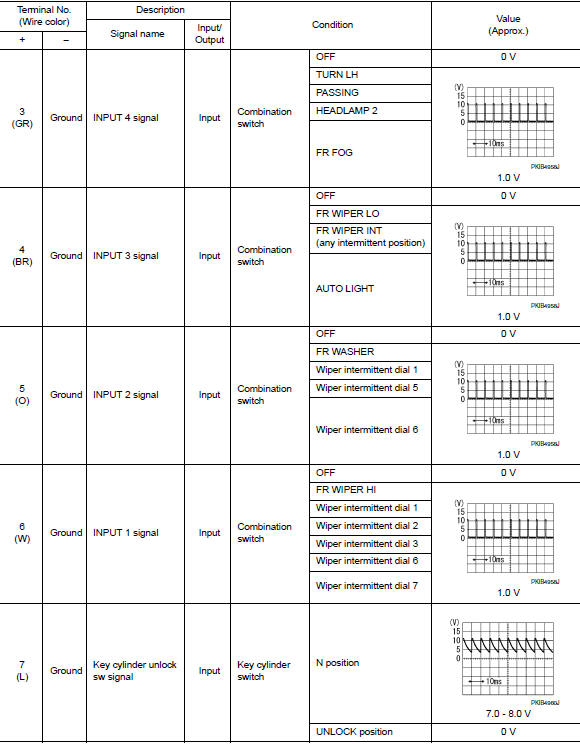
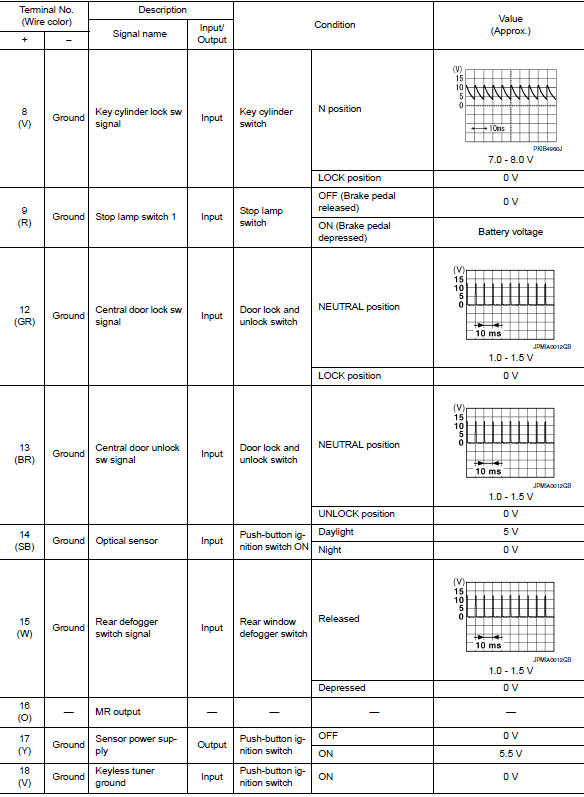
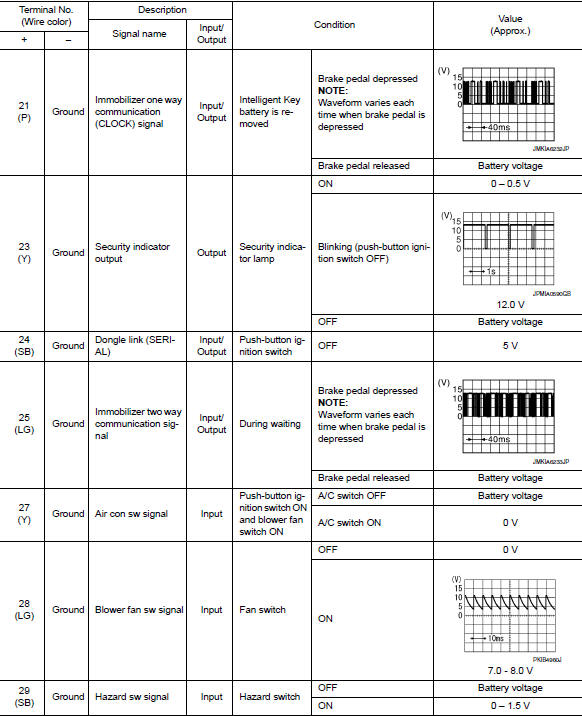
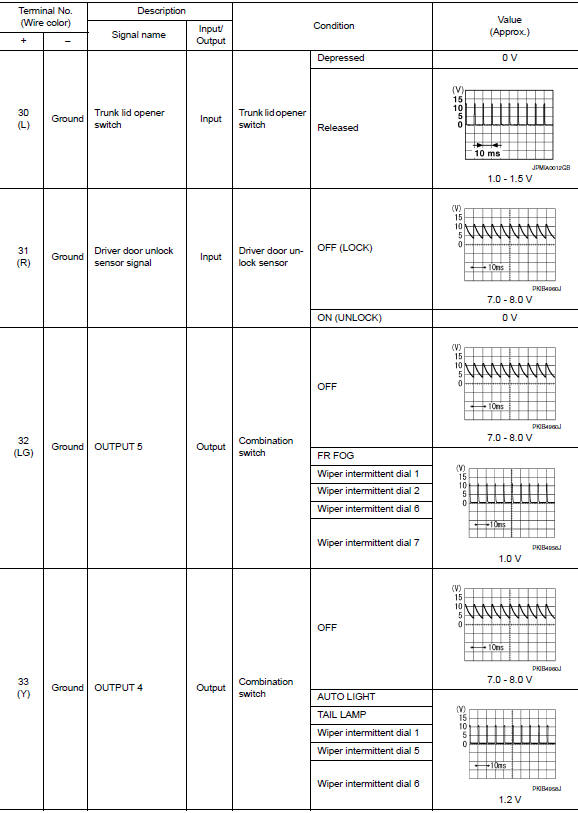
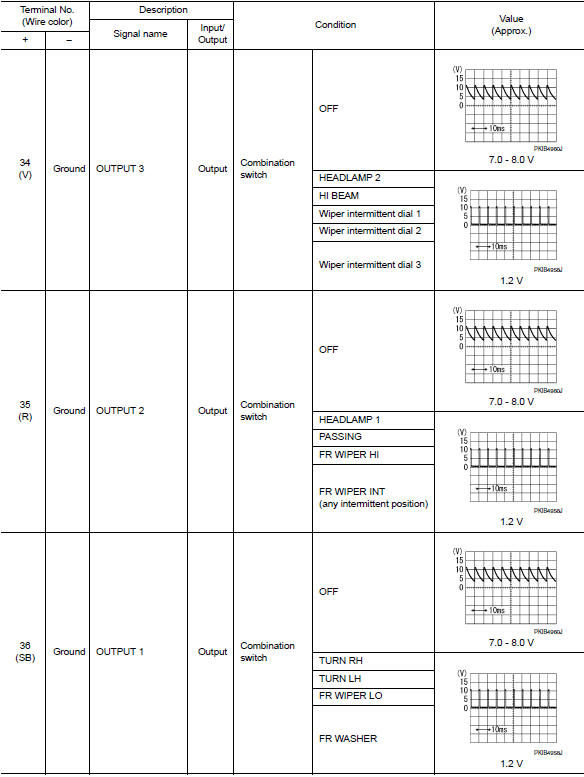
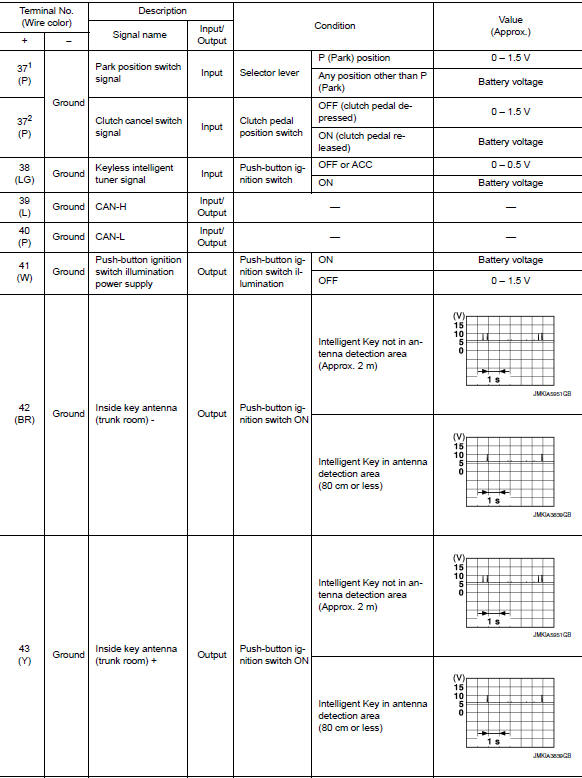
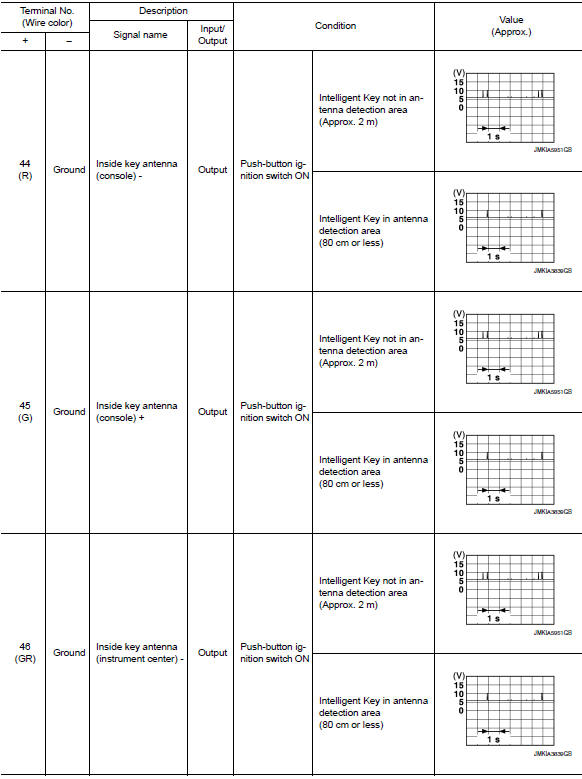
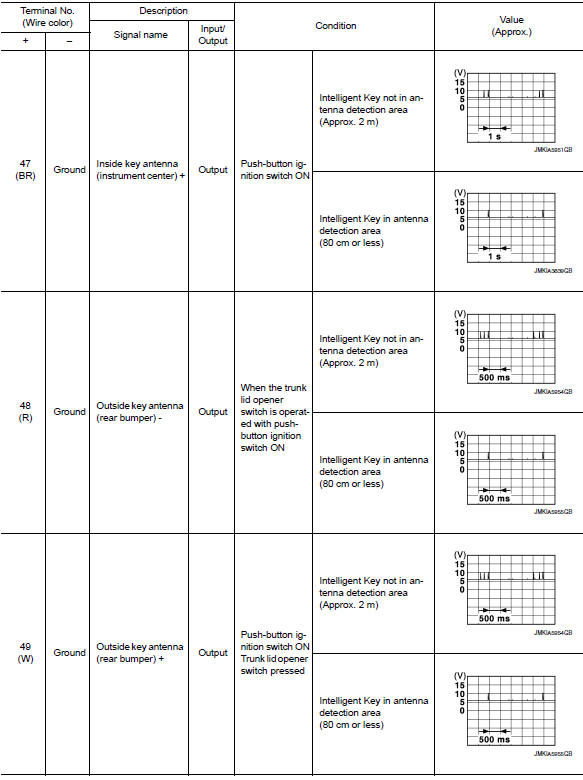
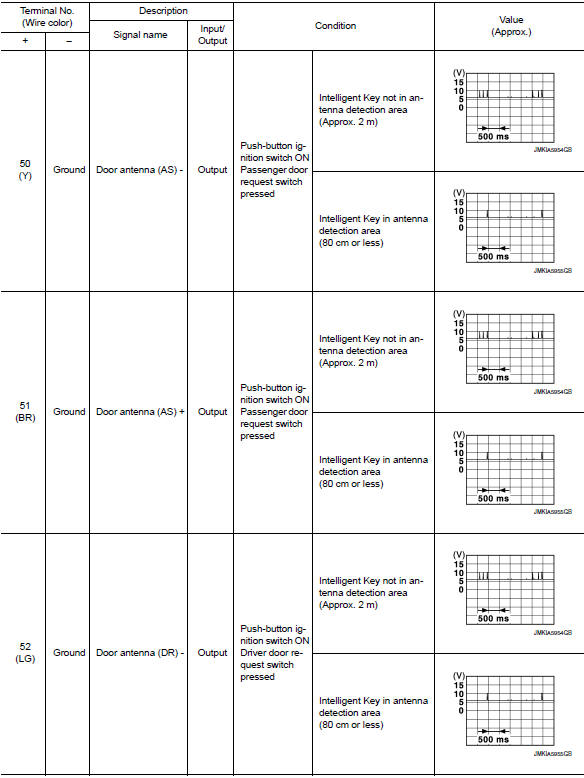
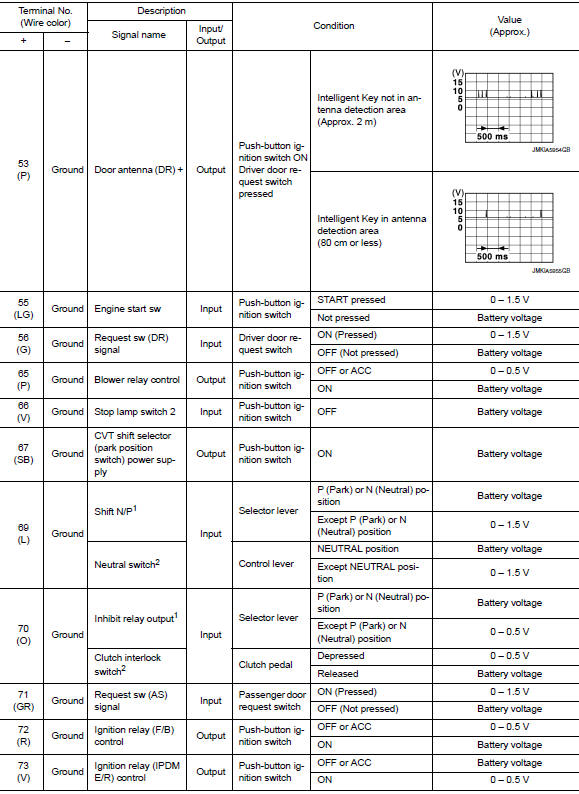
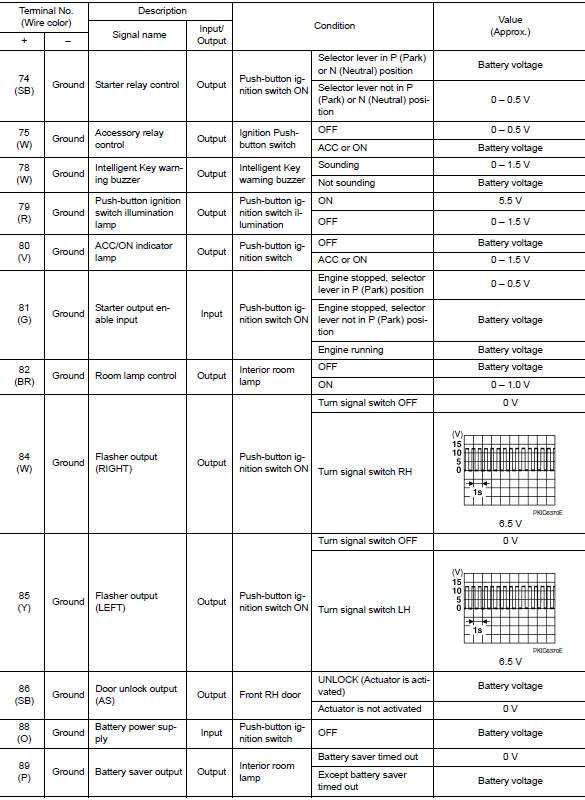
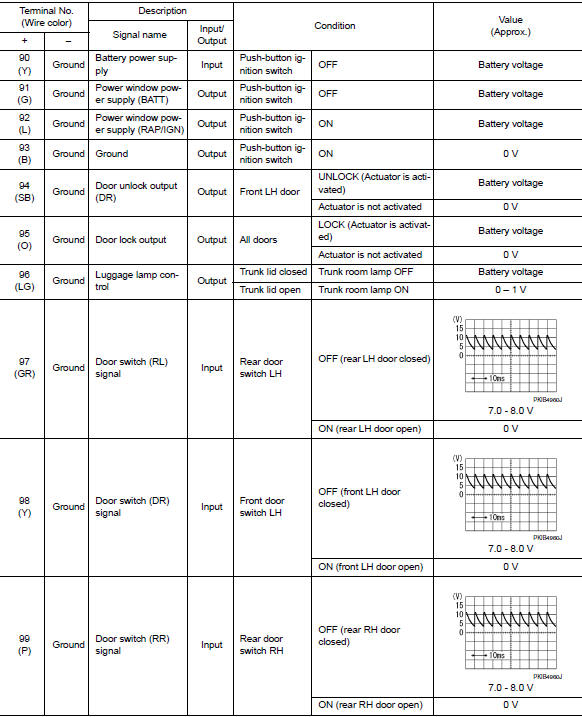
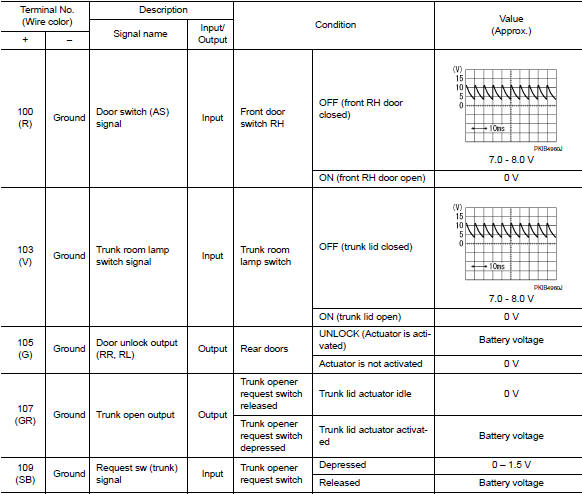
1: With cvt
2: With m/t
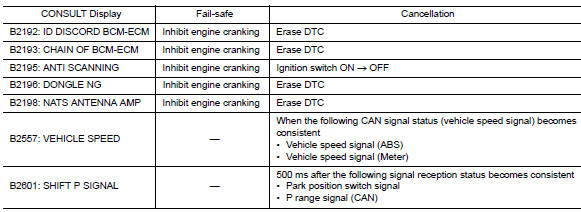
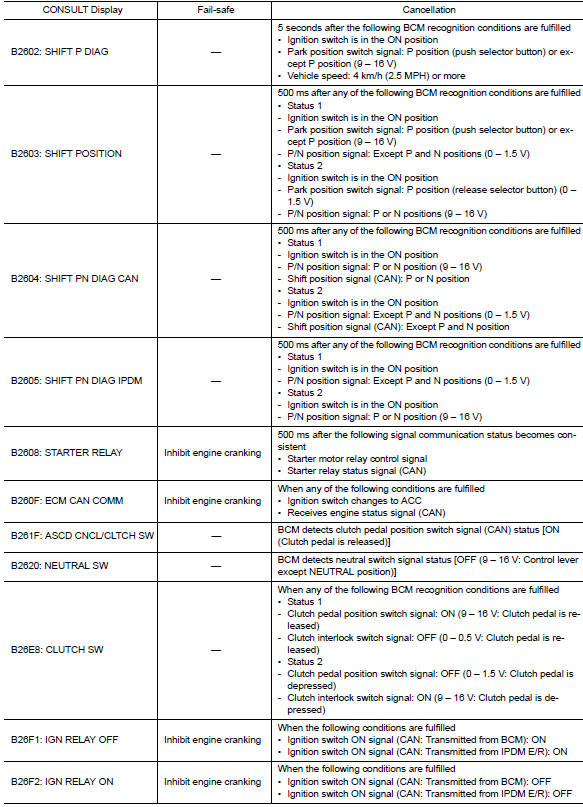
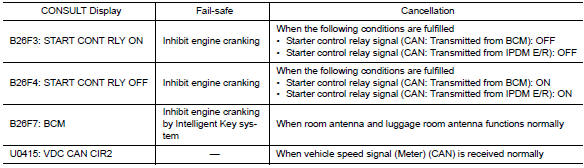
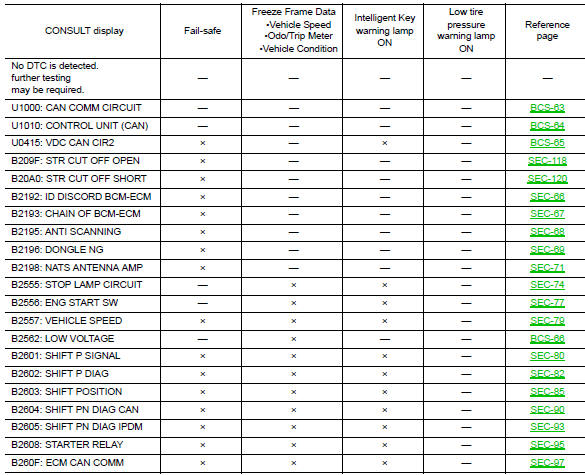
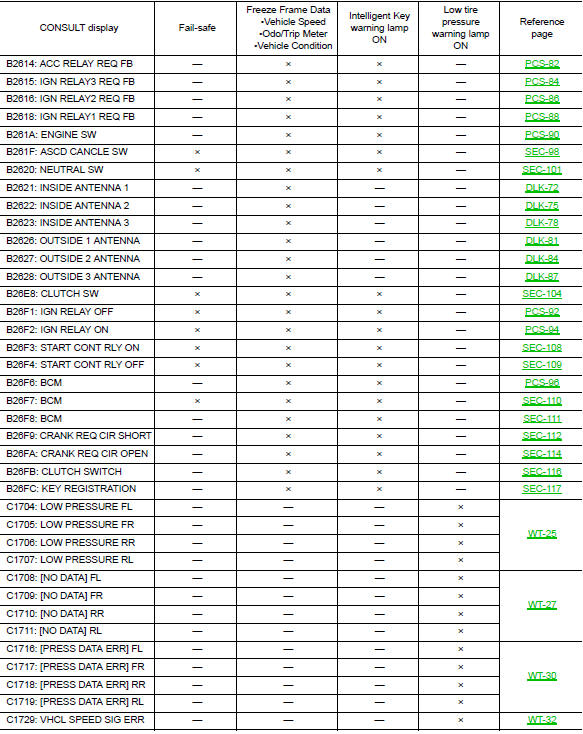
Fail-safe
Bcm performs fail-safe control when the following dtcs are detected.
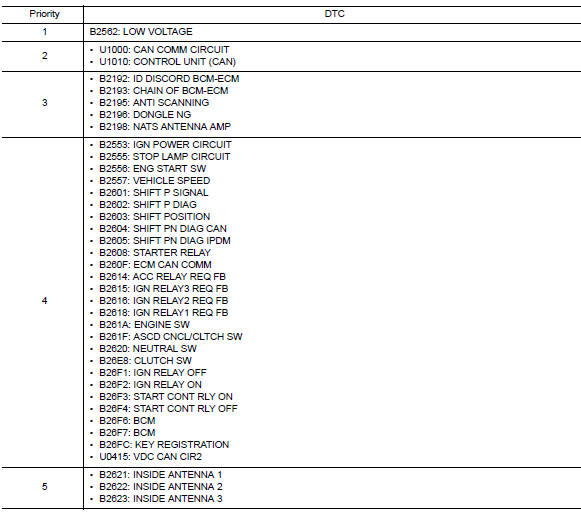
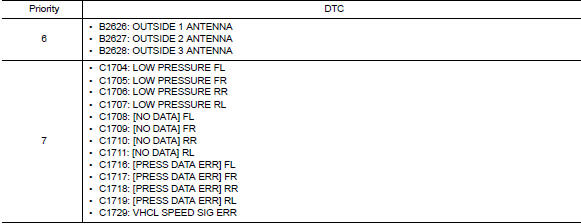
Dtc inspection priority chart
If more than one DTC is displayed at the same time, perform inspections based on the following priority chart.
Dtc index
Note:
The details of time display are as follows.
- Crnt: a malfunction is detected now.
- Past: a malfunction was detected in the past.
IGN counter is displayed on Freeze Frame Data.
 Diagnosis system (bcm)
Common item
COMMON ITEM : CONSULT Function (BCM - COMMON ITEM)
Application item
Consult performs the following functions via can communication with bcm.
Direct diagnostic mode
Descriptio ...
 Wiring diagram
BCM
Wiring diagram
...
Other materials:
Pandora® audio (if so equipped)
The vehicle’s audio system is capable of playing
audio streaming through a compatible, USBconnected
audio device using the Pandora® music
service.
Connecting a device for use with
Pandora® audio
Devices capable of streaming Pandora® audio
can be connected to the vehicle’s audio system
...
P1574 ASCD Vehicle speed sensor
Description
The ECM receives two vehicle speed sensor signals via CAN communication line.
One is sent from combination
meter, and the other is from TCM (Transmission control module). The ECM uses
these signals for ASCD
control. Refer to EC-51, "AUTOMATIC SPEED CONTROL DEVICE (ASCD) : Sys ...
Main line between dlc and hvac circuit
Diagnosis Procedure
1.Check harness continuity (open circuit)
Turn the ignition switch OFF.
Disconnect the battery cable from the negative terminal.
Disconnect the following harness connectors.
Ecm
A/c auto amp.
Check the continuity between the data link connector and the a/c ...
