
Nissan Sentra Owners Manual: Connecting Procedure
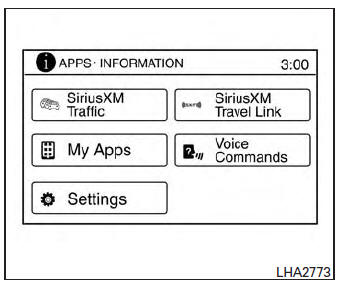
NOTE:
The connecting procedure must be performed when the vehicle is stationary. If the vehicle starts moving during the procedure, the procedure will be cancelled.
- Press the [
 ] button on the
control panel. - Touch the “Settings� key.
- Touch the “Phone & Bluetooth� key.
- Touch the “Connect New Device� key.
- Initiate the connecting process from the handset. The system will display the message: “Is PIN XXXXXX displayed on your Bluetooth device?�. If the PIN is displayed on your Bluetooth® device, select “Yes� to complete the pairing process.
For more information, see the Bluetooth® device’s Owner’s Manual.
 Voice commands
You can use voice commands to operate various
Bluetooth® Hands-Free Phone System features
using the NISSAN Voice Recognition system. For
more details, see “NISSAN Voice Recognition
System� in ...
 Vehicle phonebook
To access the vehicle phonebook:
Press the button on the
control panel.
Touch the “Phonebook� key
Choose the desired entry from the displayed
list.
The number of the entry will be ...
Other materials:
DTC/circuit diagnosis
U1000 CAN COMM CIRCUIT
Description
CAN (Controller Area Network) is a serial communication system for real time
application. It is an on-vehicle
multiplex communication system with high data communication speed and excellent
error detection ability.
Many electronic control units are equip ...
Precaution for Supplemental Restraint System (SRS) "AIR BAG" and "SEAT BELT
PRE-TENSIONER"
The Supplemental Restraint System such as “AIR BAG” and “SEAT BELT PRE-TENSIONER”,
used along
with a front seat belt, helps to reduce the risk or severity of injury to the
driver and front passenger for certain
types of collision. Information necessary to service the system ...
2135 TP Sensor
DTC Logic
DTC DETECTION LOGIC
NOTE:
If DTC P2135 is displayed with DTC P0643, first perform the trouble
diagnosis for DTC P0643. Refer to
EC-353, "DTC Logic".
DTC No.
CONSULT screen terms
(Trouble diagnosis content)
DTC detecting condition
Possible cause
...
